Formula-Based
Synthetic Data
Generation
Generate Synthetic Data according to defined formulas
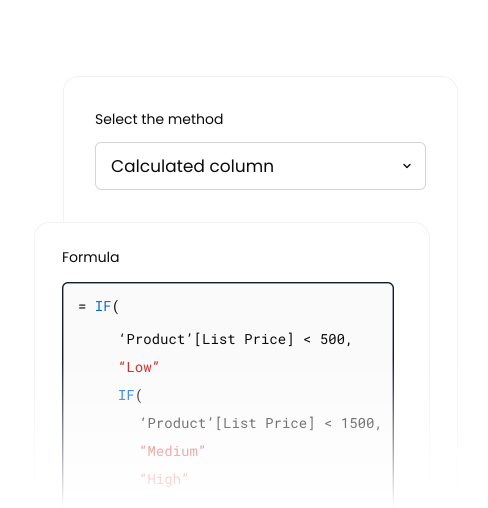
Key benefits of using Formula-Based Synthetic Data
Control and Customization
Design synthetic data that reflects specific business logic and rules. This ensures the generated synthetic data reflects your organization's unique requirements.
Scenario & Edge-Case Creation
Easily simulate unusual, rare, or extreme scenarios by configuring formulas and rules. This helps test data reflect specific edge cases and hypothetical scenarios that might not be covered in real data.
Data Enrichment and cross data Relationships
Formula-Based Generation can use existing columns or data points as inputs to create new and related data on these input data points. This allows for data enrichment and correcting data errors.
Formula-Based Synthetic Data Generation Examples
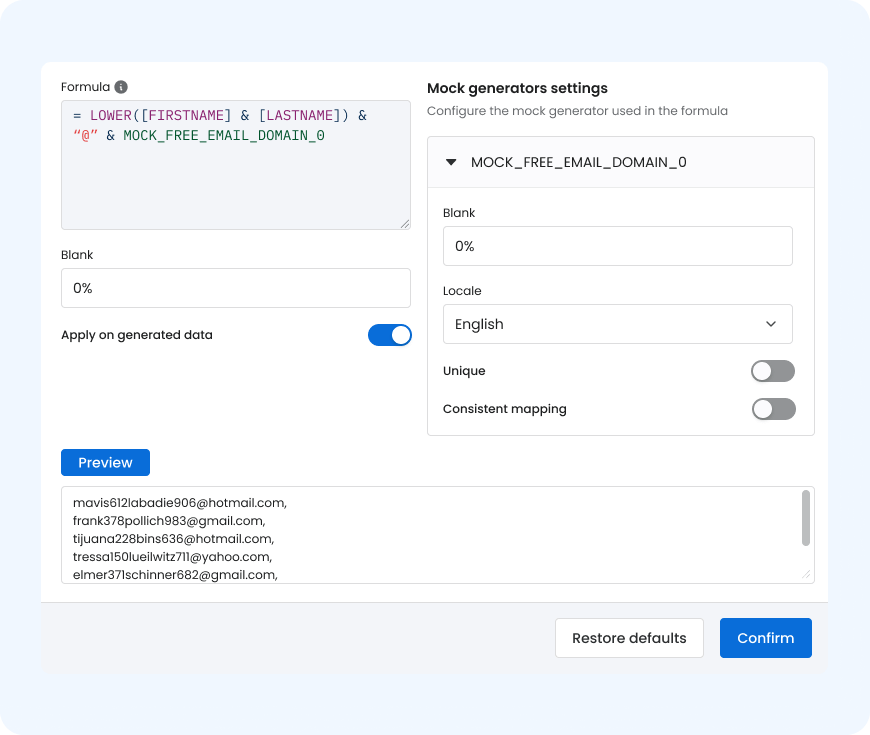
Generating synthetic email addresses based on first & last names
Use Formula-Based Synthetic Data Generation to create realistic data
Steps:
- Use Formula-Based Synthetic Data Generation to create consistent synthetic email addresses from the first and last name.
- Use Calculated Columns to define the generation rules.
- Apply a formula that concatenates the FIRSTNAME and LASTNAME columns and appends a synthetic email domain to produce a realistic synthetic email address.
Generating first & last names based on gender
Use Formula-Based Synthetic Data Generation to create realistic data
Steps:
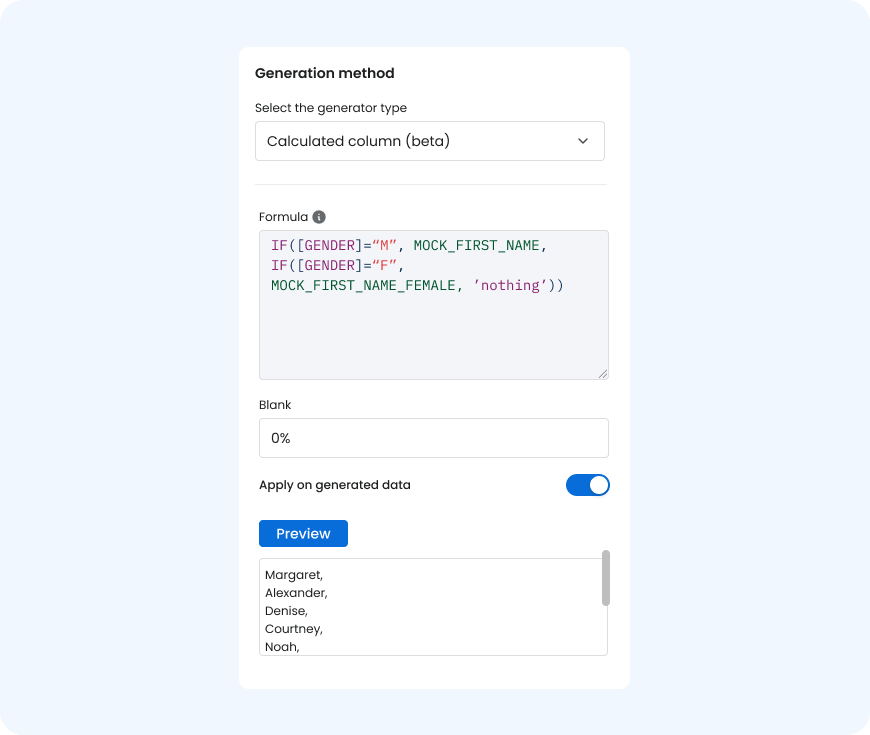
- Use Formula-Based Synthetic Data Generation to create male or female first names based on the gender column.
- Use Calculated Columns to define the rules for name generation within the dataset.
- Apply an IF-statement formula to assign a male or female first name depending on the value in the gender column.

Create data in 3 steps
Define the rules
Decide what data you need and the logic it should follow.
- Example: For an email address, the rule might be email = firstname + lastname + "@example.com"
- Tools: Business rules, formulas, or constraints
Use Calculated Columns or Formulas
Set up formulas to generate the values automatically.
- Example: If(Gender="Male", MaleNameList, FemaleNameList) to generate first names
- Tools: A full overview of supported formula functions can be found in our user documentation
Generate and validate the data
Run the formulas to test the data in preview and check the results.
- Ensure that all rules are correctly applied
- Optional: Correct and tweak if relevant
Real data problematic?
Turn to synthetic data!
Explore with us how to create data that mimics real data,
safely and efficiently, using synthetic data